
Home Guard Duty List Bihar is an online service that helps Bihar Home Guard personnel check their duty roster and registration details through the official E-Kamaan portal. Home Guards can use the portal to check their roster status, register for duty and access other duty-related information.
How to Check Bihar Home Guard Duty List Online
Follow these steps:
STEP 1: Visit Bihar Home Guard E-Kamaan official portal http://ekamaan.bihar.gov.in.
STEP 2: Find Home Guard roster option on website and select the roster service.
STEP 3: Direct link http://ekamaan.bihar.gov.in/HGHomePage/RosterDutyPanjikaran.aspx
STEP 4: Duty Registration page will open, as shown below.
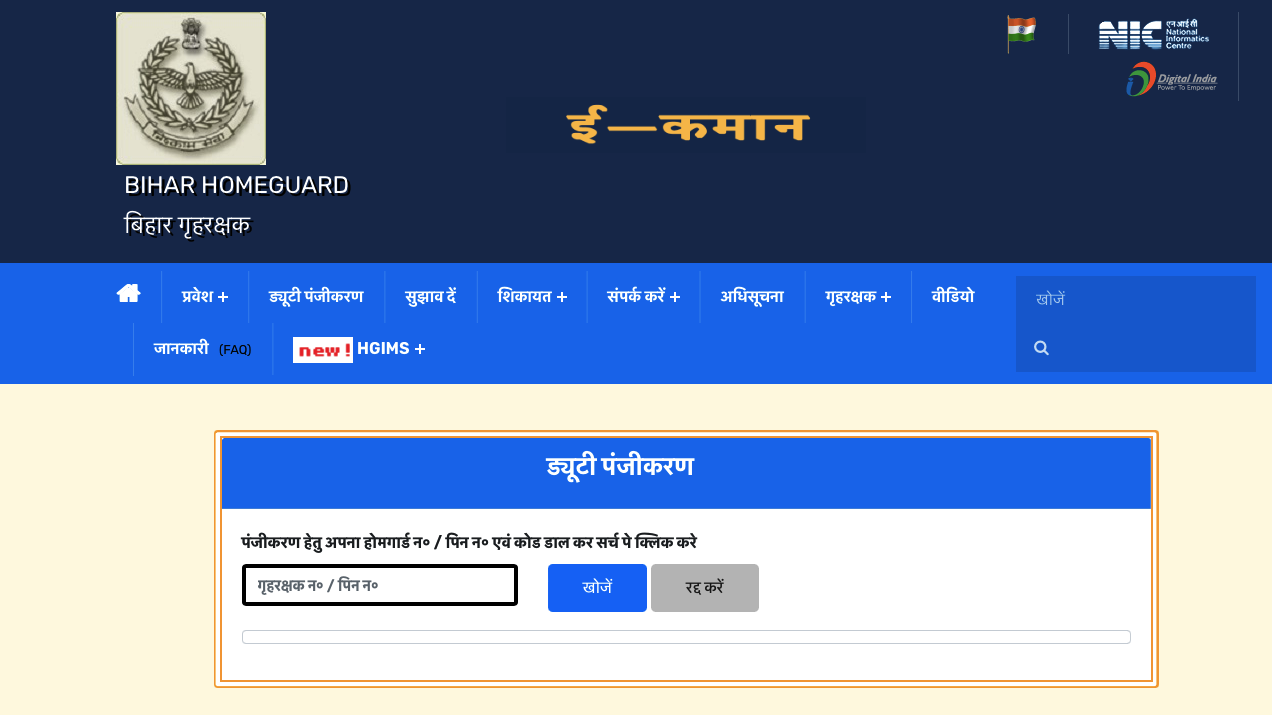 Home Guard Duty Registration
STEP 5: Enter your Home Guard Duty Number or PIN Number, then click on the “Search” button to check your duty details.
Online Bihar Home Guard Duty Registration
Duty registration is another important service available through the E-Kamaan portal.There are following steps for online duty registration.
STEP 1: Visit official web portal http://ekamaan.bihar.gov.in
STEP 2: On homepage, click on “Duty Registration” link to proceed.
STEP 3: Enter your Home Guard PIN number in required field and click "Search" button.
STEP 4: Your personal details will appear on screen, as shown below.
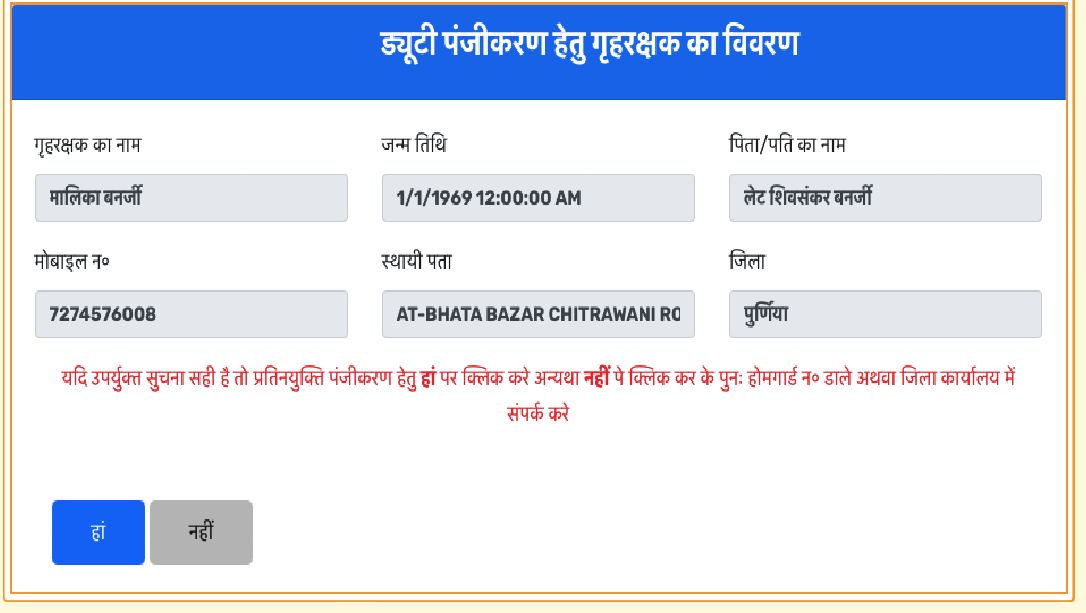 Home Guard Registration Details
STEP 5: Check your displayed personnel details and confirm that the information is correct.
STEP 6: Enter OTP received on your registered mobile number.
STEP 7: Submit form to complete registration.
How to Check Bihar Home Guard Roster Status?
Roster status helps Home Guard personnel understand whether their details are available in the roster. To check the status use following steps.
STEP 1: Open official E-Kamaan website.
STEP 2: Select the roster status or roster service.
STEP 3: Follow instructions displayed on page.
STEP 4: Enter the required details, if requested.
STEP 5: Check information shown on portal.
If your name is missing, it does not automatically mean that your service has ended.
Why Is Your Name Not Showing in the Bihar Home Guard Duty List?
Sometimes, Home Guards may find that their names are missing from the online roster.
| Reason | Explanation | |
|---|---|---|
| Duty registration incomplete | The Home Guard may not have completed duty registration. | |
| Expired bond | The personnel bond may have expired and may require renewal or re-enrolment. | |
| Discharged from service | The Home Guard may have been formally released from service. | |
| Transfer not accepted | The receiving district may not have accepted the Home Guard's arrival. | |
| Duty command already issued | The Home Guard may have been removed from the available roster after receiving a duty command. |
Highlights of Home Guard Duty List Bihar
| Particulars | Details |
|---|---|
| Duty List | Bihar Home Guard Duty List |
| Year | 2026 |
| Department | Bihar Home Guard |
| Online portal | E-Kamaan |
| Main service | Home Guard duty roster |
| Other service | Duty registration |
| Official website | ekamaan.bihar.gov.in |
| Beneficiaries | Registered Bihar Home Guard personnel |
| Duty information | Roster and deployment details |
| Registration method | Online and official missed-call facility |
| Login service | District-level E-Kamaan login |
| Official support | E-Kamaan help and FAQ section |
Read:
UP Home Guard UPHG Duty List – होमगार्ड ड्यूटी लिस्ट कैसे देखें